
Electrical Contractor License no. DELPHOC773DG
5348 216th Ave SW
Centralia, WA 98531
(360) 349-6910
 Clients please login
|
Electrical Contractor License no. DELPHOC773DG |
Call now:(360) 349-6910 |
5348 216th Ave SW Centralia, WA 98531 (360) 349-6910 |
Clients please login
|

Autogate NW Gate Designer helps turn driveway-gate ideas into clear visual previews, editable layouts, practical drawing sheets, saved design packets, material cost lists, and subscriber bid tools before the gate is built. Subscribers can also describe a gate in plain English and open the result as an editable starting design.
Preview swing gates, slide gates, V-track gates, cantilever gates, ornamental iron-style gates, picket gates, privacy gates, wood-infill gates, and fabrication-style gate drawings in one web-based design tool.

Gate projects are easier to discuss when everyone can see the same design. The Gate Designer gives fabricators, installers, fence contractors, builders, and homeowners a shared visual starting point for the gate opening, gate type, frame, rails, pickets, fills, ornamental objects, and support details.
It is not just a picture maker. It is a practical design workspace for exploring gate type, size, rails, pickets, privacy materials, decorative inserts, slide and cantilever details, saved design packets, realistic gate scene previews, public gallery images, material takeoff information, subscriber material lists, BOM/cost-list records, bid creation, and printable fabrication-style sheets. Subscribers can also begin with a plain-English gate description and refine the generated starting layout directly in Gate Designer.
Try swing, slide, V-track, cantilever, flat-top, arched, ornamental, privacy, and mixed-material concepts in one place.
Create dimensioned drawing sheets, materials summaries, installation notes, and supplemental fabrication guidance.
Subscribers and Autogate NW clients can save designs, load them later, revise them, and start from standard templates.
The tool is built for people who need to communicate gate ideas clearly before a final fabrication or installation decision is made.
Visitors can use the Gate Designer to explore ideas and see what is possible. A subscription becomes useful when the design is worth saving, exporting, estimating, or turning into a client bid.
Save the dimensions, frame layout, picket settings, finish notes, and ornamental choices so the design can be opened and edited later.
When a concept is ready for pricing, subscribers can move from the visual gate design into materials, cost-list, and customer-bid tools.
| Feature | Visitor preview | Subscriber |
|---|---|---|
| Visual gate previews | ✓ | ✓ |
| Adjust dimensions, styles, fills, and ornaments | ✓ | ✓ |
| Describe a gate in plain English and open an editable starting layout Subscriber Benefit | — | ✓ |
| Save and reload gate designs Subscriber Benefit | — | ✓ |
| Export design packets and drawing sheets Subscriber Benefit | — | ✓ |
| Materials lists and cut-list support Pro Tool | — | ✓ |
| BOM / cost-list tools Pro Tool | — | ✓ |
| Customer bid creation and saved bid revisions Pro Tool | — | ✓ |
| AI scene builder and public gallery previews Subscriber Benefit | — | ✓ |
| Subscriber artistic component image library Subscriber Benefit | — | ✓ |
Subscribers can move beyond a flat concept preview by using a saved gate design to create realistic gate-scene images. The Scene Builder can generate a life-like presentation image from the gate, or place the gate into an uploaded driveway / property photo for a more useful sales conversation.
Generated scenes are saved into the subscriber public gallery, where logged-in clients, subscribers, and staff can view, save/download, or delete old scene images when they are no longer needed.
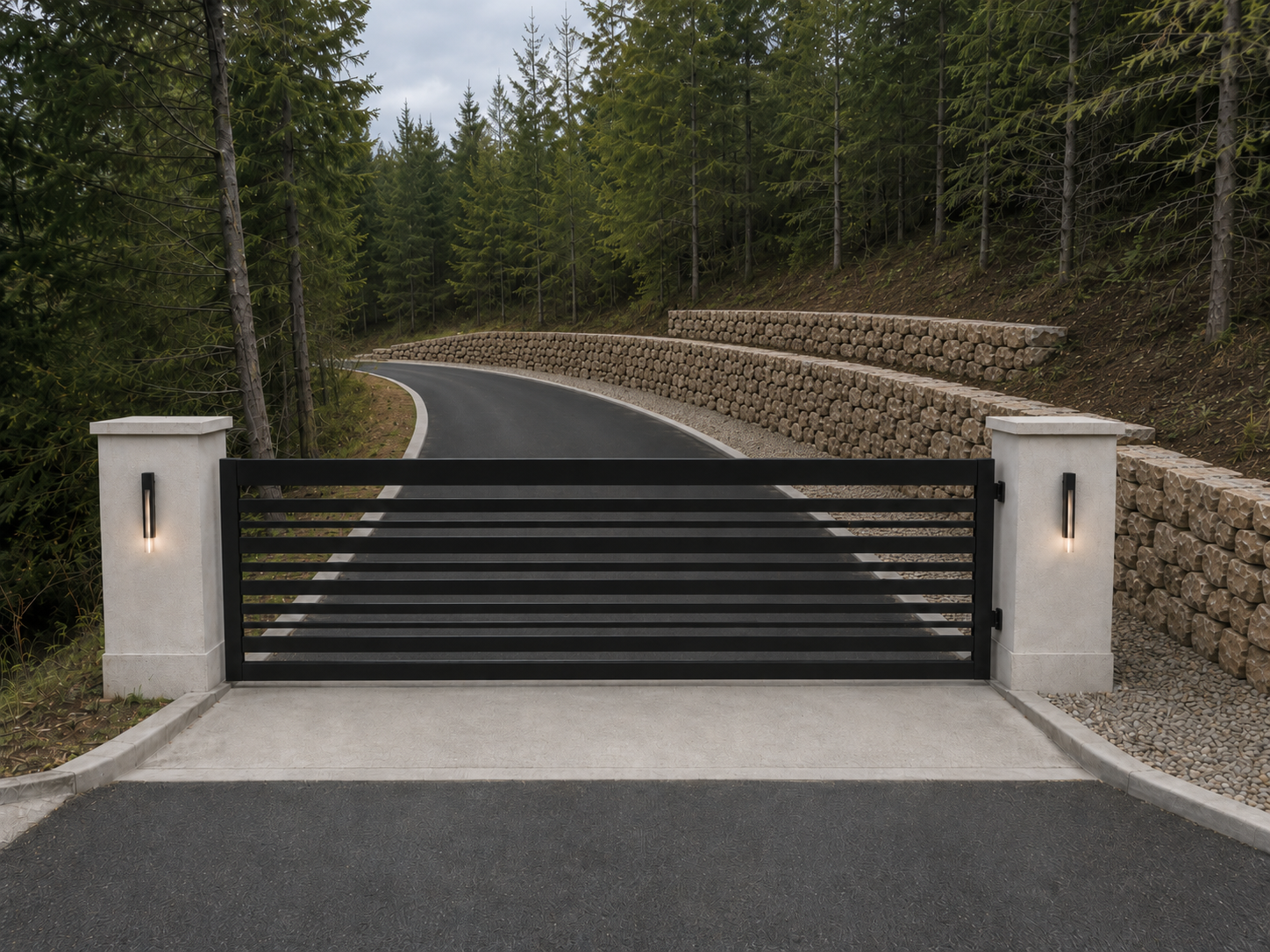
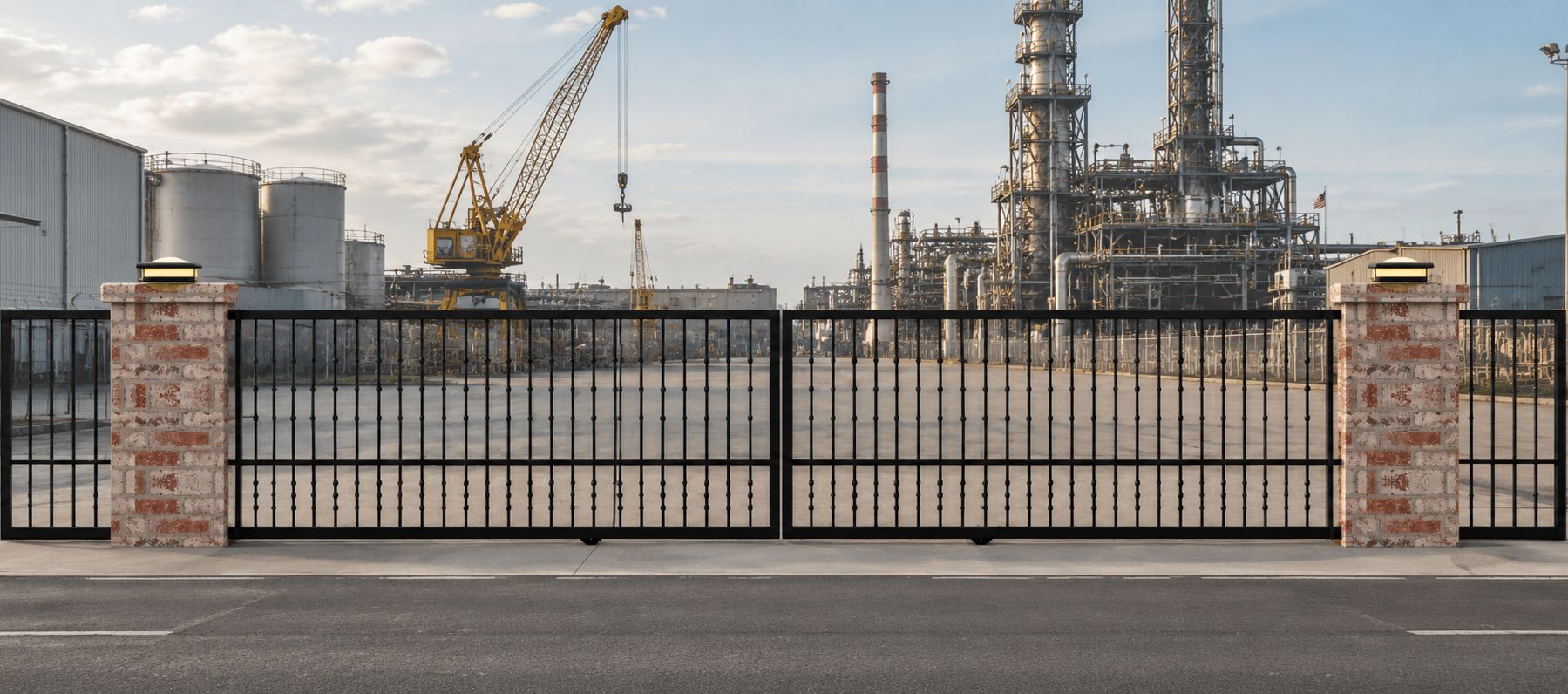
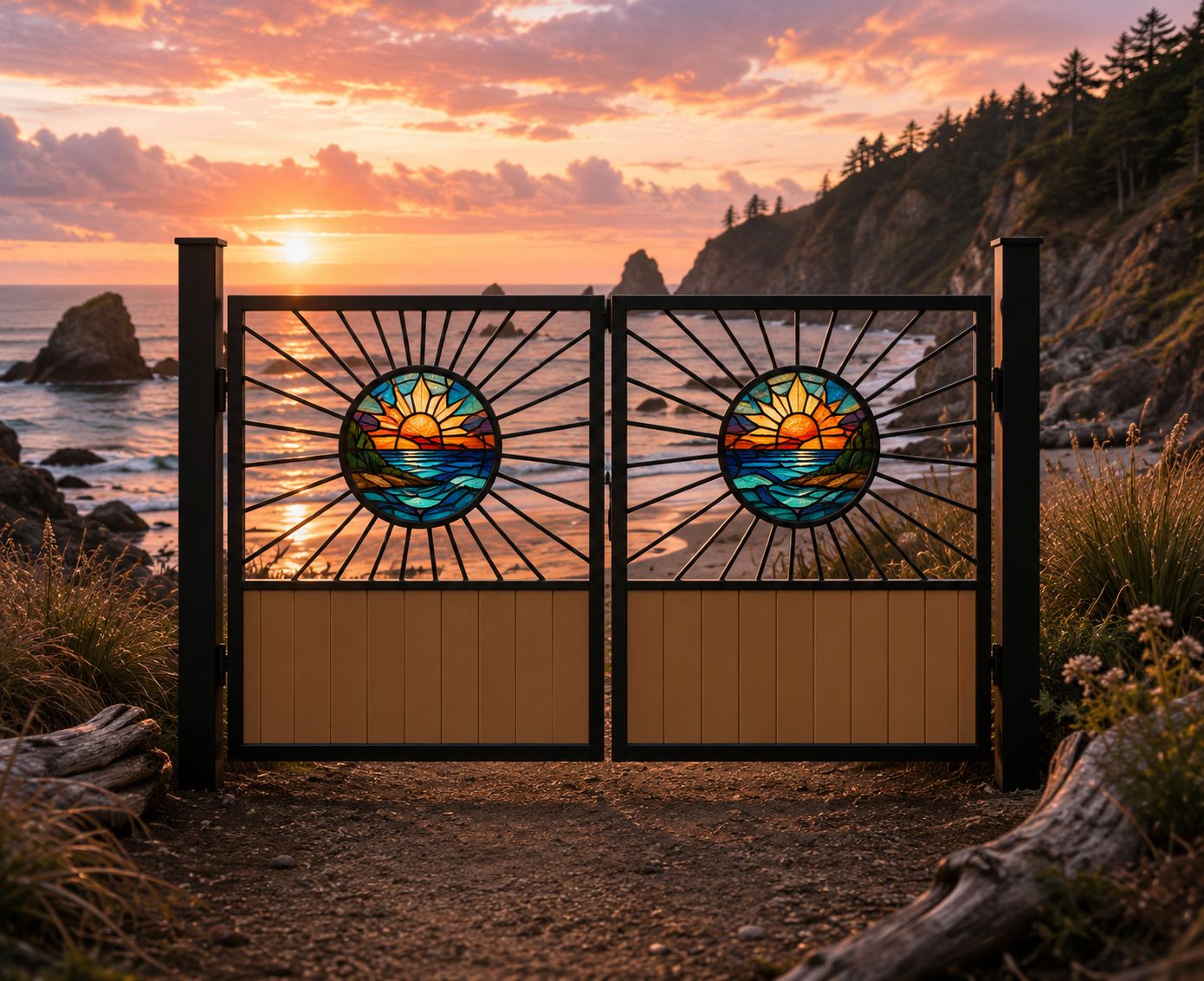



The subscriber area extends the gate designer beyond a one-time preview. Subscribers can keep their gate work organized, maintain reusable material information, prepare cost lists, and create client-ready bid pages from saved gate designs.
A central starting point for subscriber tools, saved gate designs, material lists, BOM / cost-list work, bid creation, account information, and shared design resources.
Describe the gate you have in mind using ordinary words — gate type, size, arches, pickets, boards, rings, lettering, finials, decorative bays, and more. The translator creates an editable starting design that opens directly in Gate Designer for further refinement.
Logged-in subscribers can save private gate designs, reload them later, revise them, export drawing sheets, and use the saved gate as the starting point for BOM and bid work.
Subscribers can build material lists with item numbers, profiles, categories, supplier information, and cost fields that support later takeoff and estimating work.
Create a compiled bill of materials or cost list from a saved gate design, review selected components, track missing prices, and save the compiled material-cost record for bidding.
Create client-facing and internal bid pages from saved gates and BOM / cost-list records, with editable line items, labor rates, markup, sales tax, travel or fuel surcharge, and comments.
Save bids as editable records, reopen an existing bid, copy it to a new bid number, delete old bids, and use a two-digit revision number so the accepted client version is clear.
Create realistic gate presentation images from saved gate designs, or combine a gate reference with a driveway photo for a more useful customer preview.
Generated scenes can be shown in a public gallery. Logged-in clients, subscribers, and staff can save/download finished images or delete older scene previews.
Subscribers can maintain reusable image-based components such as decorative fills, logos, panels, bordered fills, and lighting references for use in gate design work.
The subscriber workflow is designed to reduce repeated entry and keep estimating information connected to the saved gate design.


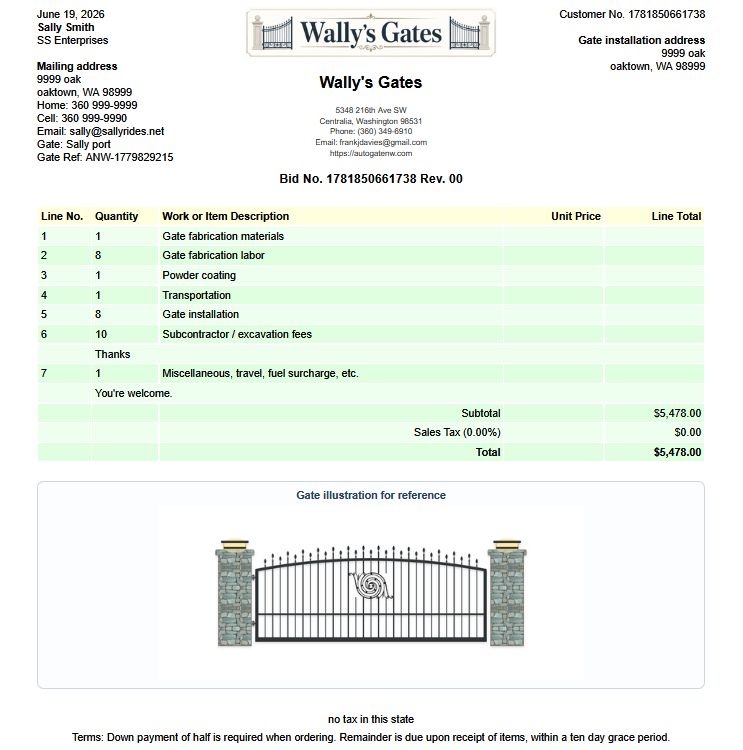
The designer is organized in a top-down workflow so a driveway gate can move from rough concept to practical drawing packet. These are the main option groups currently represented in the design controls.
These are examples of the actual outputs the Gate Designer can help produce, from a clean concept preview to printable technical sheets and supplemental fabrication details.


Choose $49.95 per month or $499.95 per year. Both plans renew automatically through PayPal. Cancel before the next renewal if you no longer need it.
A subscription unlocks plain-English gate description entry, saving and loading private designs, downloading/exporting design sheets, AI Scene Builder, public gallery previews, Artistic Component management, subscriber dashboard tools, material-list and BOM/cost-list features, and subscriber bid creation. Autogate NW clients receive Gate Designer access as part of their client account.
Driveway gate design software helps you preview gate layouts, sizes, frame options, infill styles, and drawing sheets before fabrication or installation. Autogate NW Gate Designer is focused specifically on gate projects rather than general-purpose CAD.
Yes. The designer includes pickets, finials, rings, frames, letters, fill images, arches, rail options, and decorative objects for ornamental driveway gate concepts.
Yes. Subscribers can enter an ordinary written description of a gate, including its type, dimensions, arches, pickets, boards, lettering, decorative rows, bays, finials, and other details. The system creates an editable starting design that opens in Gate Designer for review and refinement.
Yes. It supports single and dual swing gates, faux-double single gates, V-track slide gates, cantilever slide gates, and advisory enclosed/slotted cantilever concepts.
Yes. The subscriber dashboard gives quick access to saved gate designs, BOM / cost-list tools, material lists, suppliers, account information, and subscriber bid creation.
Yes. The bid creation page can use saved gate and BOM / cost-list information, then produce a client-facing bid and an internal copy for the subscriber.
Yes. Subscribers can use Scene Builder to create realistic images from saved gate designs or place a gate into an uploaded driveway / property photo. Generated images can be reviewed in the public gallery.
Yes. Logged-in clients, subscribers, and staff can save/download generated scene images or delete older images from the scene gallery.
Yes. Saved bids can be opened for editing, copied to a new bid number, and assigned a two-digit revision number from 00 to 99 for clearer client communication.
No. Gate designs still require proper field verification, safety planning, operator selection, code compliance, and professional judgment. The designer is a planning and communication tool, not a substitute for final engineering, fabrication review, or installation expertise.